Changelog

New features, improvements, and fixes for Capture.

New

Introducing Capture CLI — Screenshots, PDFs & Content from Your Terminal

We're excited to announce the Capture CLI — a command-line tool for capturing screenshots, generating PDFs, and extracting content from any URL directly from your terminal.

Installation

Homebrew:

Go:

Configuration

Set your API credentials:

What you can do

Screenshots — Capture any website with custom viewport, dark mode, full-page, and device emulation

PDFs — Generate PDFs with custom paper size, orientation, and margins

Content extraction — Extract page content as markdown or HTML

Metadata — Fetch title, description, and Open Graph data

Animated GIFs — Record up to 30 seconds of page activity

Quick examples

Use --edge for faster responses and --dry-run to preview the API URL without executing.

Links

Documentation

GitHub

NewImprovement

Introducing Custom Proxy Support

We've added support for custom proxy configurations across all Capture API endpoints.

What's New

Configure your own proxy server in account integration settings

Route browser requests through your configured proxy with the proxy=true parameter

Secure credential storage with automatic authentication

Works across all endpoints: screenshots, PDFs, HTML content, and animated captures

How to Use

Add your proxy configuration (server URL, username, password) in your account integration settings

Add proxy=true to any API request to route it through your configured proxy

The API automatically handles proxy authentication using your stored credentials

Technical Details

Proxy credentials are securely stored in vault and fetched at runtime

Each proxy request creates a dedicated browser instance configured with your proxy server

Supports HTTP/HTTPS proxies with authentication

Works seamlessly with other features like bot detection bypass and device emulation

Example

This feature is available immediately for all users. Configure your proxy settings in your account dashboard to get started.

ImprovementNew

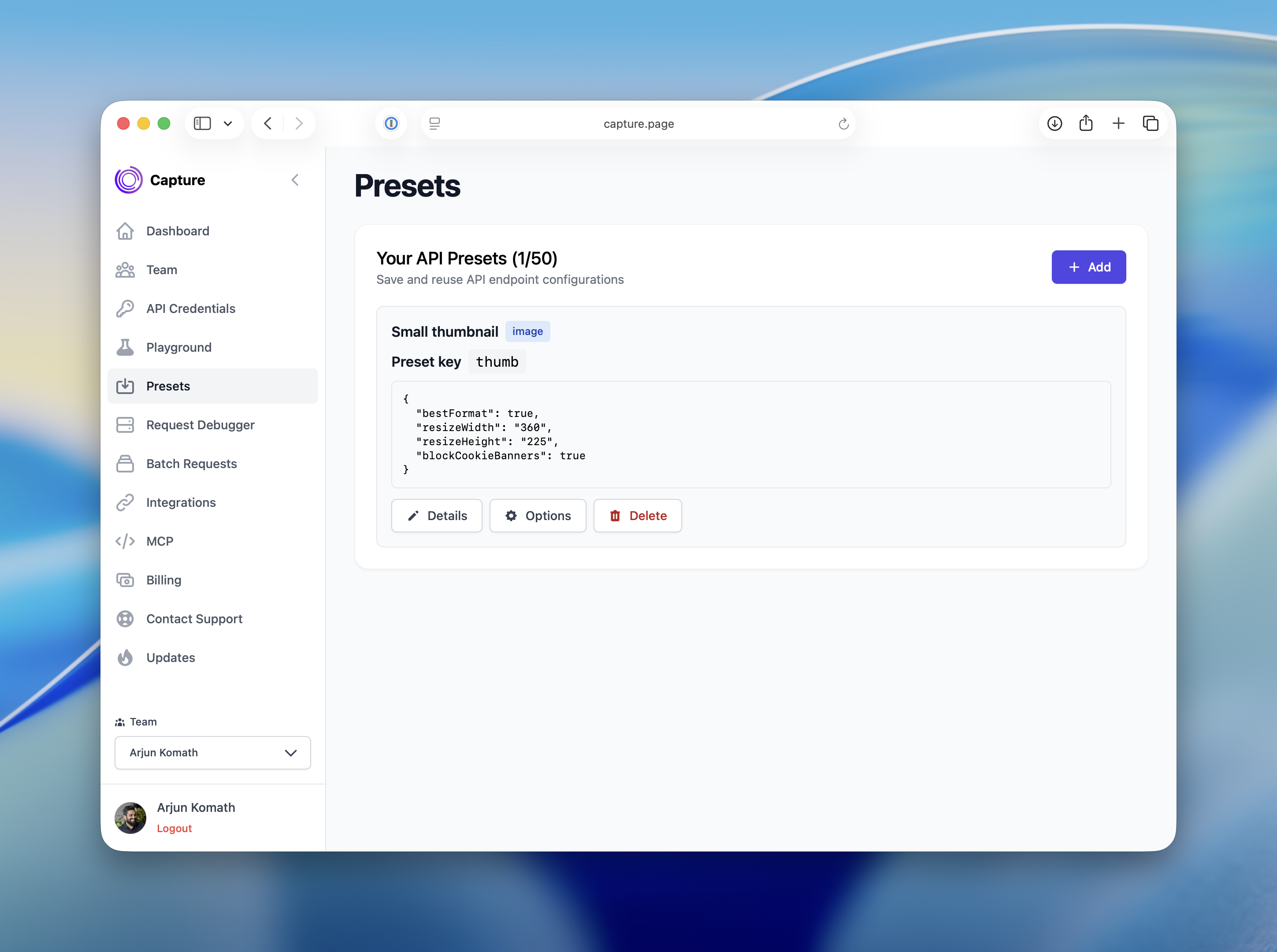
Manage Your API Requests Like a Pro with Presets

Save time and simplify your API requests with our new Presets feature.

What's new:

Create reusable configurations for your screenshot and PDF API requests directly from the Playground

Save up to 50 presets with custom names, descriptions, and unique keys

Use presets in your API calls by simply passing preset=your-key instead of repeating all options

Manage your presets with full edit and delete capabilities from the dashboard

How it works:

Configure your desired options in the Playground

Save as a preset with a unique key (e.g., mobile-dark-mode)

Reference it in your API calls: ?url=example.com&preset=mobile-dark-mode

Perfect for teams with common configurations or developers managing multiple capture scenarios. Available now in your dashboard under Presets.

New

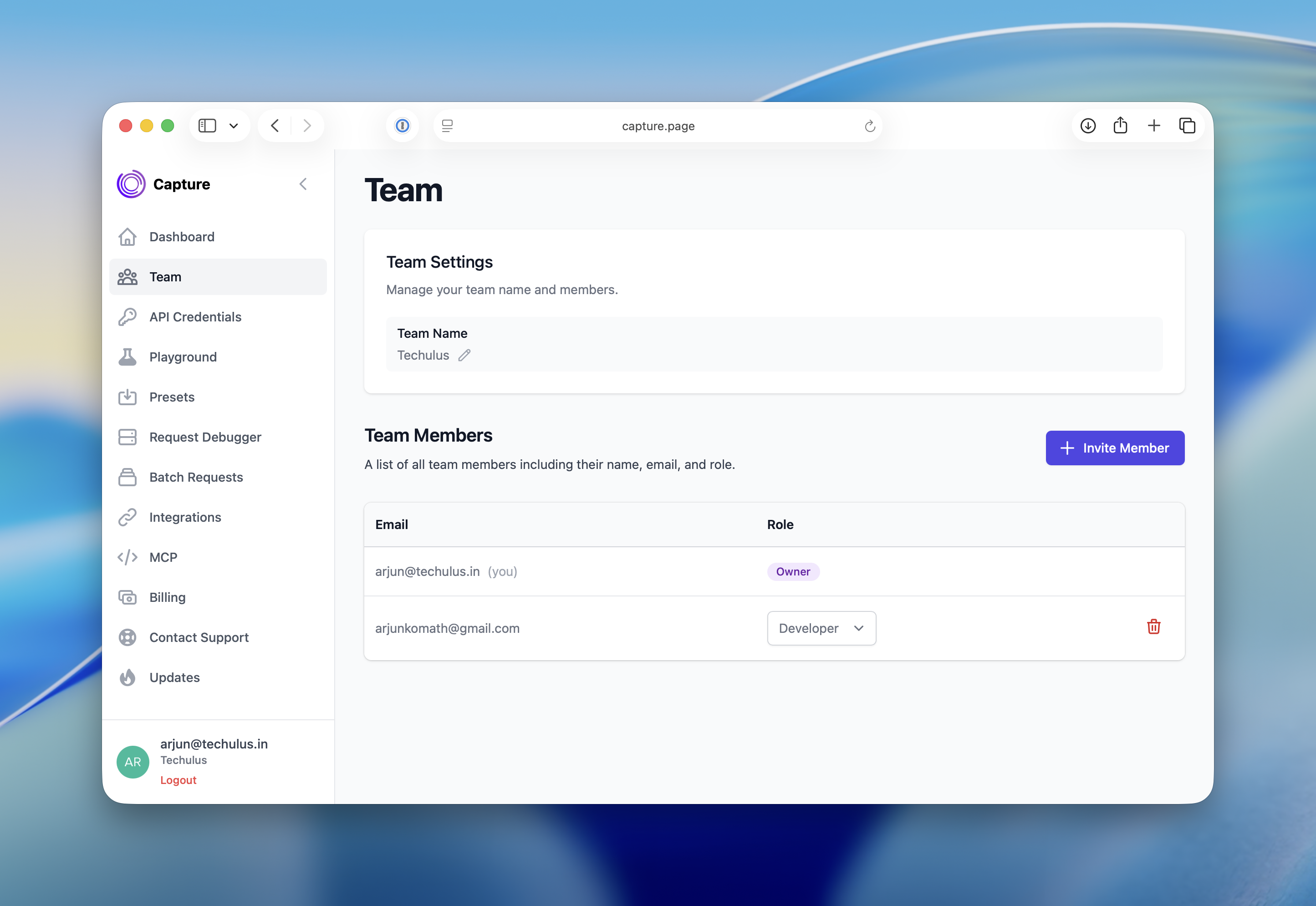
Introducing Teams

We’re excited to announce the launch of Teams in Capture! This new feature empowers you to create and manage teams within your workspace, making collaboration seamless and efficient.

Whether you’re a small startup or a growing enterprise, Teams helps you scale your workflow. Head to your dashboard to get started today!

Feedback? Drop us a line—we’re all ears. 🚀

Improvement

Dedicated Page for API Credentials

API credentials now have their own dedicated page, allowing for better organization and management. This separation from the main dashboard ensures that you can access and manage your credentials more efficiently, without cluttering your dashboard.

NewImprovement

We’ve just enhanced the Capture Content API!

You can now retrieve your captured content as Markdown, in addition to the existing text and HTML formats.

What’s new

Added markdown field in the Content API response.

Perfect for workflows that store or render markdown directly (e.g., static site generators, docs, or note apps).

Backward compatible — no breaking changes.

Improvement

Introducing Support for All S3-Compatible Storage

We've added support for all S3-compatible storage solutions! You can now specify a custom endpoint and region for your S3 integration. This means you can use Amazon S3, Cloudflare R2, DigitalOcean Spaces, MinIO, or any other S3-compatible provider — all with seamless integration and the same reliability you expect from our product.

New

Introducing Our New MCP Server

We are excited to announce the introduction of our new MCP server, a powerful enhancement designed to improve your experience. The MCP server streamlines operations and enhances the performance of your AI agents, enabling them to work more efficiently and effectively. This integration allows for more dynamic interactions and improved data handling, ensuring that your agents can respond to queries and tasks with greater accuracy and speed.

To get started with the MCP server and explore its features, visit our dashboard at https://capture.page/dashboard/mcp.

New

New Request Insights Feature Now in Beta

We’ve introduced a new “Request Insights” feature to help you better understand your API usage and performance. With this dashboard, you can now view detailed analytics for your API requests from the past 7 days, including:

Total number of requests

Success and failure rates

Average response times

Error trends over time

Breakdown by request type (image, content, metadata, animated)

Most common errors and problem URLs

Use these insights to monitor performance, identify bottlenecks, and optimize your workflows. This feature is currently in beta—your feedback is welcome!

NewImprovement

Streamline Access Management with Multiple API Secrets

You can now create multiple API secrets for your account, giving you greater flexibility and security when managing access. This feature allows you to generate several secrets, which can be used for different applications or environments without needing separate API keys.

Note. API key remains unique and serves as the primary identifier for your account. However, you can now generate or delete multiple API secrets associated with that key, making it easier to rotate credentials or manage access permissions without disrupting your existing integrations.